Explainers
Start anywhere, and follow whatever you're curious about.
Dense AI-and-education ideas, turned into things you explore instead of read — a knowledge graph, a timeline, and a decision guide, one topic at a time.
Not every idea explains itself the same way. One here is a knowledge graph you click through term by term; another is a timeline you scrub; a third is a guide that branches with your answers. Each takes the shape its subject asks for — all built to be explored, not just read.
 Explorer
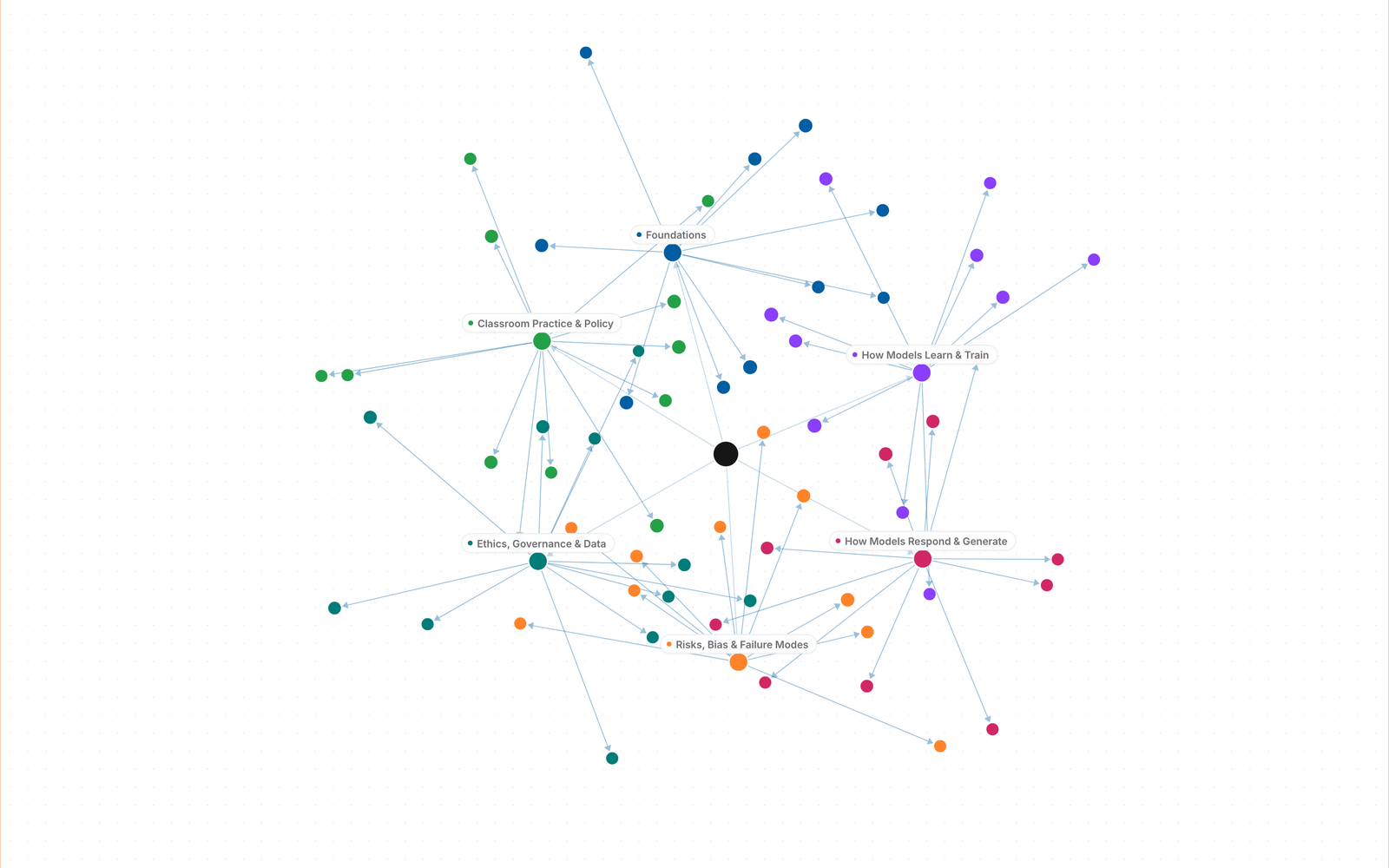
AI Literacy Glossary
Over 60 terms, six categories, and a knowledge graph of cross-linked definitions — how these tools are built, how they fail, and what to watch for in a classroom.
- Foundations
- How Models Learn & Train
- How Models Respond & Generate
- Risks, Bias & Failure Modes
- Ethics, Governance & Data
- Classroom Practice & Policy
 Timeline
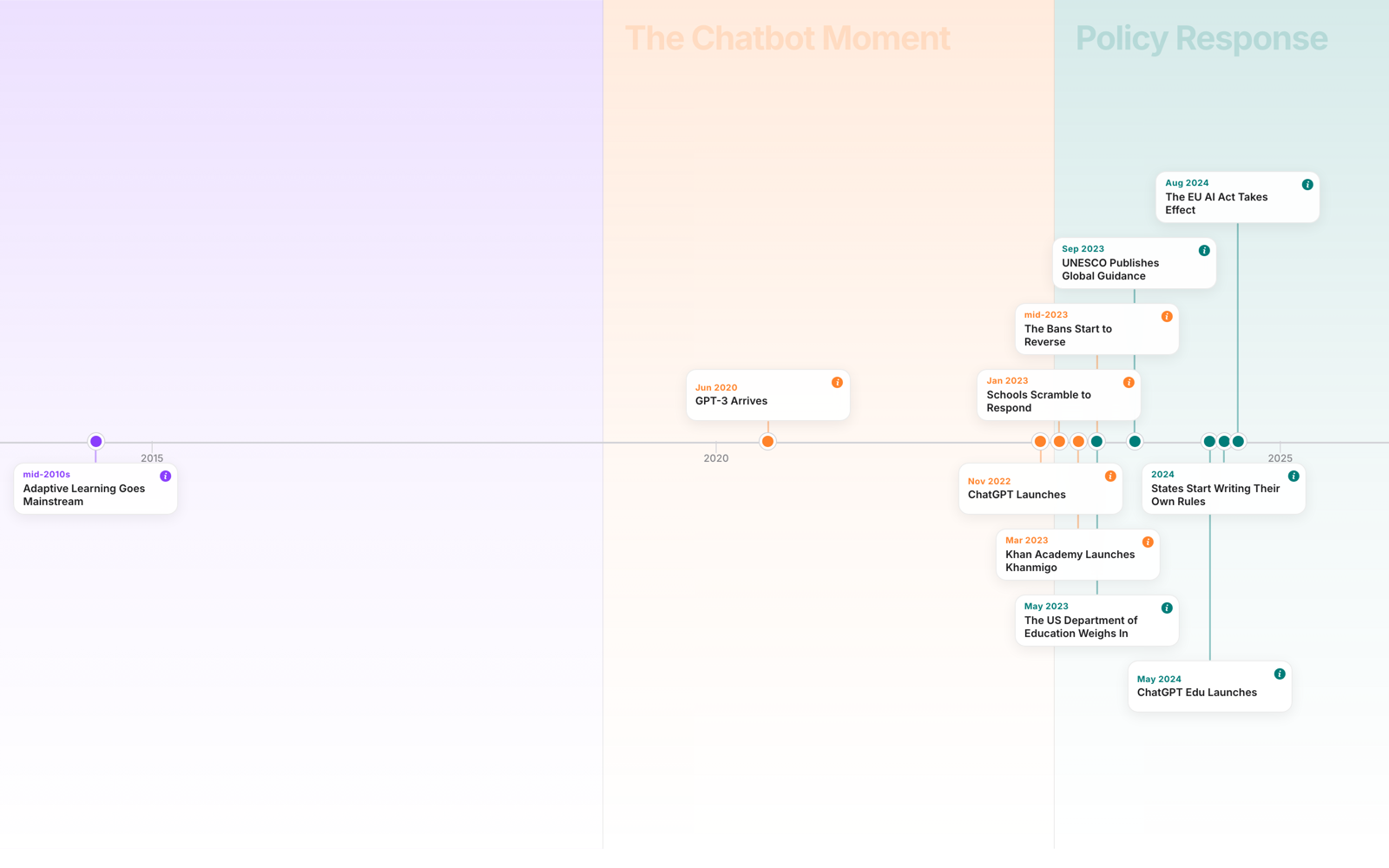
AI in Education Timeline
Scrub through the moments that took AI from research labs into classrooms — and what changed after each one.
- Research Era
- Early Classroom Tools
- The Chatbot Moment
- Policy Response
 Decision Guide
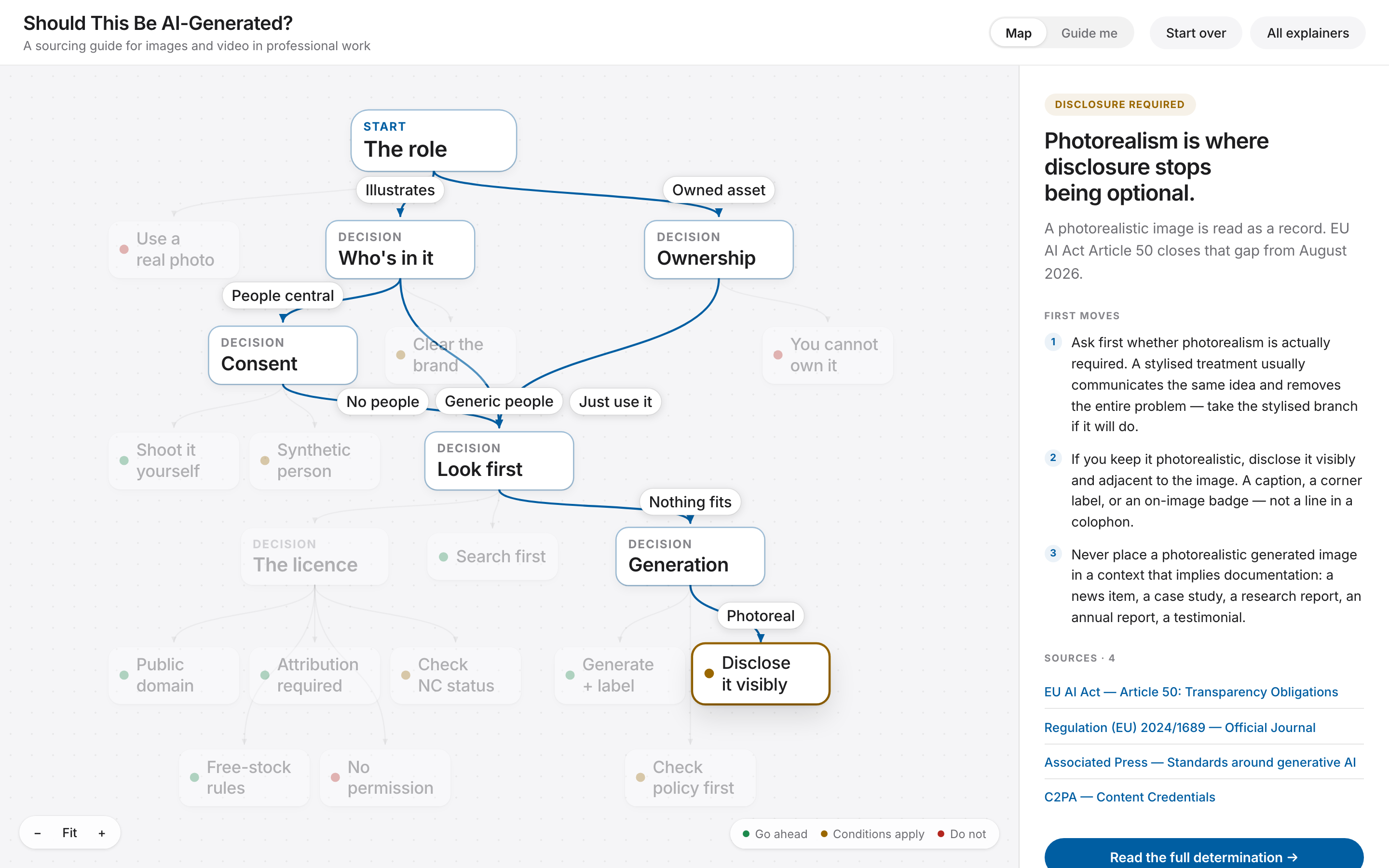
Should This Image Be AI-Generated? — An Ethical Decision Guide
Do you need an image at all? Search Openverse, Wikimedia Commons, Unsplash, Pexels and Pixabay before generating. A practical ethical decision map with sourced outcomes.
- Need & Role
- People & Property
- Consent
- Ownership
- Look First
- The Licence
- Generation & Environment
How to use them
Not a wall of text. Something you explore.
Content you read top to bottom is a list. Content you can see the shape of is a map — which idea sits next to which, and why that adjacency matters. Every explainer here picks the shape that fits its subject, whether that's a graph, a timeline, or a guide.
Pick a category, or a starting point
Glossaries are organized into categories, shown as chips and as nodes in the center graph. Timelines and guides have their own natural starting point instead — the earliest moment, or the first question.
Go one step deeper
In a glossary, that's a term's definition, a real-world example, and a common pitfall. In a timeline or a guide, it's the next moment or the next question.
Resize it your way
In a glossary, drag the dividers between panels — the layout remembers your preferred widths the next time you open one.